Camera modes and filters

Trick lenses
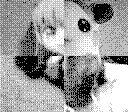
In the MAGIC submenu, there is a list of different "fiters" and photo modes. I tried them all briefly for future note. They come in three main types: mirroring along different axes, stretching/distortion, and multi-shot quadrant modes.
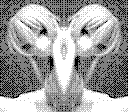
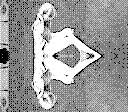
- Lens 1 — mirror left
- This places your photo on the right half of the screen and mirrors it onto the left.
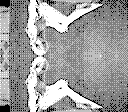
- Lens 2 — mirror right
- This places your photo on the left half of the screen and mirrors it onto the right.
- Lens 3 — mirror up
- This places your photo on the bottom half of the screen and mirrors it onto the top half.
- Lens 4 — mirror down
- This places your photo on the top half of the screen and mirrors it onto the bottom.
- Lens 5 — stretch vertical
- Stretch your photo along the y axis. Very useful!
- Lens 6 — stretch horizontal
- Stretch your photo along the x axis. In case you're too stringy?
- Lens 7 — stretch all (zoom)
- Stretch the photo in x and y equally. This is essentially a zoom feature... I guess if you want to get close to something but not block out too much light?
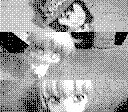
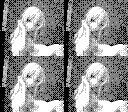
- Lens 8 — quadrant split repeat
- The frame is split into four, and a copy of the photo is placed in each quadrant. This mode only requires you to take one photo.
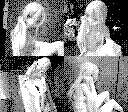
- Lens 9 — quadrant split multi-shot
- This lens has you take four smaller photos rather than repeating the same photo four times.



Gallery